
















Solución de problemas del ZEEKR Remote para propietarios de ZEEKR 001, X, 009 y 7X
Remote support only works well when the owner, the vehicle, and the connection setup are ready. On ZEEKR 001, ZEEKR X, ZEEKR 009, and ZEEKR 7X vehicles, many software-side problems can be diagnosed, narrowed down, or handled remotely — but only if the session conditions are stable and the owner knows what to prepare.
This guide is not another general fault overview. If you still need broad symptom separation for OTA failures, network issues, infotainment lag, or LCC unavailable warnings, start with our main ZEEKR troubleshooting guide first. This page begins at the next stage: when the owner already suspects remote diagnostics, coding, matching, or online programming may be needed and wants to prepare properly.
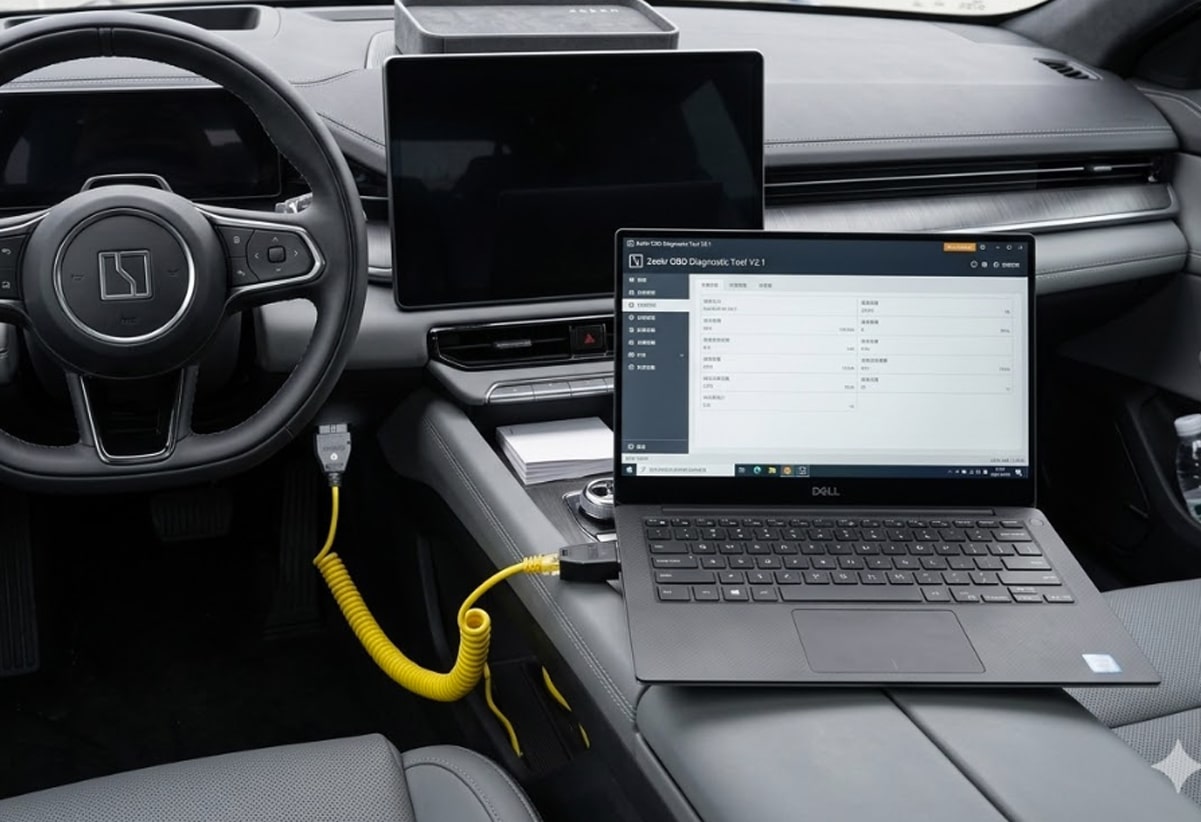
Written from the perspective of a senior Chinese EV software troubleshooting specialist serving owners in Europe and Central Asia, this guide focuses on remote diagnostics, coding-related issues, update failures, cross-market vehicle behavior, and software-side recovery work. The purpose is to explain difficult technical problems in plain language so ordinary owners can understand what should be checked first, what can realistically be handled remotely, and when the next repair step should begin.
Start Here
If you still need to understand whether your problem belongs to OTA, network, infotainment, LCC, or warning-message diagnosis first, read the broader article before this one.
Which ZEEKR Models This Guide Applies To
This guide is written for owners of the following models:
The exact remote workflow may differ by model, software state, and regional setup, but the owner-side preparation logic remains largely the same. The car needs to communicate reliably. The laptop needs to stay online. The cable needs to stay connected. And the owner needs to know enough about the problem to avoid turning a controlled session into guesswork.

Why Some ZEEKR Owners End Up Needing Remote Support
Not every ZEEKR owner needs remote help. Many issues stop at the basic-check stage. But some owners reach a different point: they have already done the obvious checks, the issue keeps returning, local support is limited, or the car is a cross-market vehicle with software-side questions that are not easy to resolve through normal local channels.
This is why remote support becomes relevant. It is not because remote work is a magic shortcut. It is because there is a point where the owner no longer needs another list of “possible causes.” The owner needs a controlled session that can test, narrow down, or recover the correct software-side path.
Imported and cross-market cars often arrive at this stage faster. Owners may already know the symptom category, but they still need help deciding whether the problem is inside coding, module matching, configuration state, online programming, or a deeper hardware-related layer.
What Remote Troubleshooting Can Actually Help With
One reason many service pages feel unconvincing is that they promise everything. That is the wrong approach. Remote support should be described in terms of where it is genuinely useful.
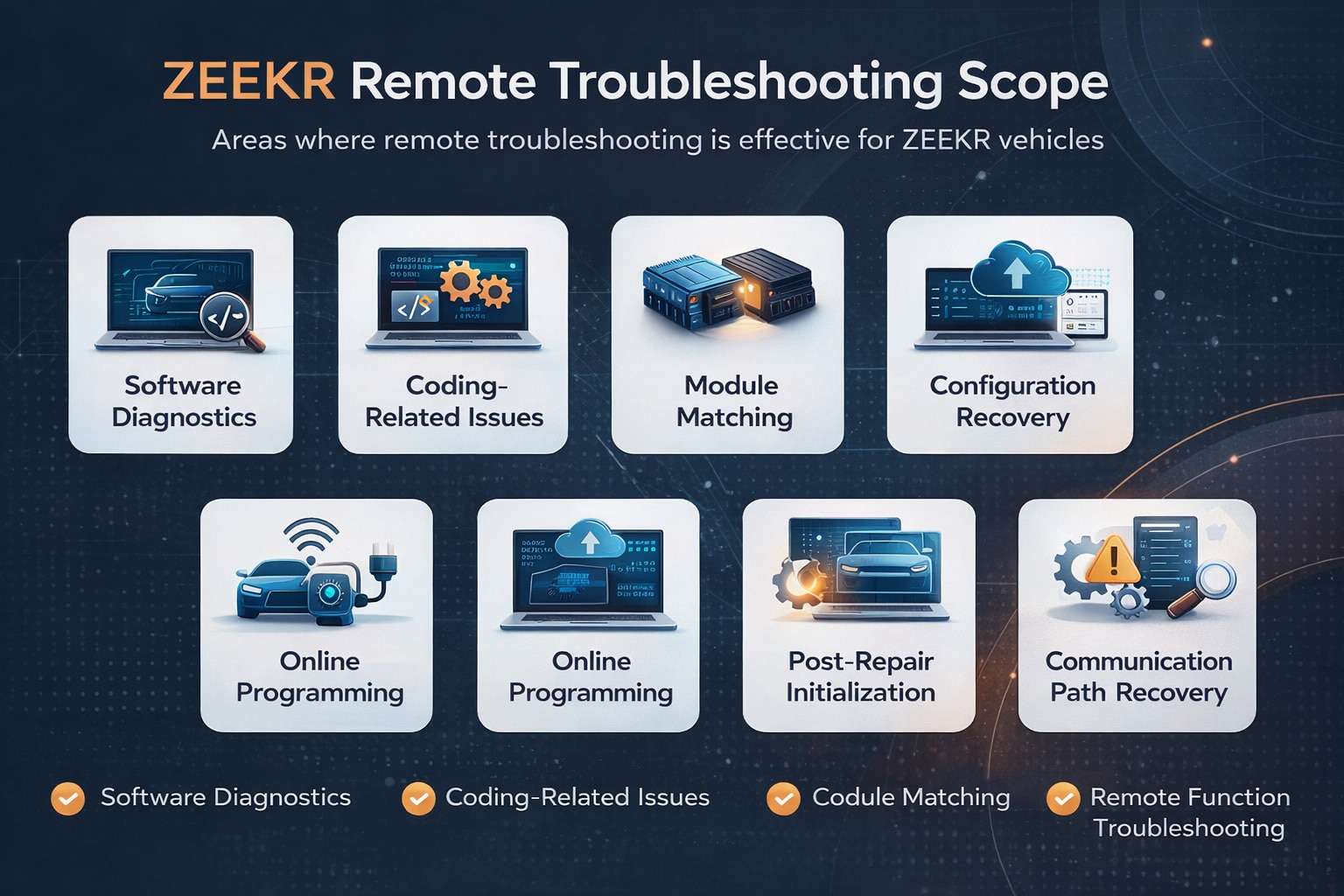
In real-world ZEEKR cases, remote work may help with:
- software diagnostics and software-state checks
- coding-related problems
- module matching
- configuration recovery
- online programming
- post-repair or post-incident electronic initialization
- communication path recovery after certain software-side failures
- controlled troubleshooting on cars that still have a stable communication link
What matters here is not just the list. What matters is the type of problem. If the car still communicates, if the problem is still inside software, coding, matching, or configuration territory, remote work becomes much more realistic.
Crucial Risks & Warranty Disclaimer
Remote flashing, coding, and diagnostics are advanced procedures. While they solve complex cross-market issues, every owner must understand the technical and legal risks before initiating a session:
Official Warranty Impact
ZEEKR official service centers generally prohibit non-authorized third-party software access. Using remote services may affect your vehicle's software warranty or lead to the refusal of official support for related modules (e.g., MCU, Gateway). This service is designed for owners who cannot access official support or whose vehicles are out of warranty/cross-market.
The "Bricking" Risk
If a network failure, laptop crash, or cable disconnection occurs during firmware flashing or online programming, the vehicle's communication module may become "bricked" (unresponsive). In such cases, the car may require physical module replacement or offline recovery at a professional shop.
Privacy & Security
Remote troubleshooting requires the use of tools like TeamViewer or AnyDesk. You will be granting access to your laptop's desktop. We recommend using a dedicated computer if you have sensitive data and monitoring the technician's actions throughout the session.
Why Remote Sessions Fail More Often Than Owners Expect
This is where a lot of trust gets built or lost. Many owners think a remote session fails because the technician “could not fix it.” In reality, the first failure layer is often much simpler: the preparation was poor.
Weak or unstable internet
The car may be connected to the laptop perfectly, but if the laptop itself is not staying online consistently, the session becomes fragile. Remote diagnostics and remote programming are not just “car to cable.” They are also “laptop to internet to remote operator.”
Wrong or unreliable hardware setup
A loose cable, a poor-quality adapter, a laptop with no stable Ethernet solution, or a setup that is easy to disconnect will destroy confidence quickly. The problem may not be the car at all. It may be the owner’s connection environment.
Missing fault context
Remote support becomes slower and weaker if the session starts with guessing. If the owner cannot say what changed, when it changed, whether it happened after an update, what the current version is, or whether the car still communicates normally, the first part of the session gets wasted on rebuilding the missing context.
Unstable environment during the session
If the car is parked where it needs to be moved, if other people interrupt the process, if the laptop battery is low, or if the owner starts clicking around during guided steps, the session stops being controlled. Remote work fails faster in unstable environments than in technically difficult ones.
Trying to solve the wrong kind of problem remotely
Sometimes the real problem is not that the session failed. The real problem is that the owner expected remote support to replace a physical inspection when the car already had signs of hardware damage, wiring damage, water ingress, or broken connectors.
What makes a session stronger
Stable internet, reliable cable setup, complete fault details, safe parking, patient owner cooperation, and a problem that still belongs to software-side work.
What makes a session weaker
Weak signal, loose hardware, missing fault history, random interruptions, low battery, and trying to solve obvious physical damage remotely.
What the Owner Needs Before a Remote Session
This is the practical core of the article. Before remote work begins, the owner should have the right tools, the right location, and the right expectations.
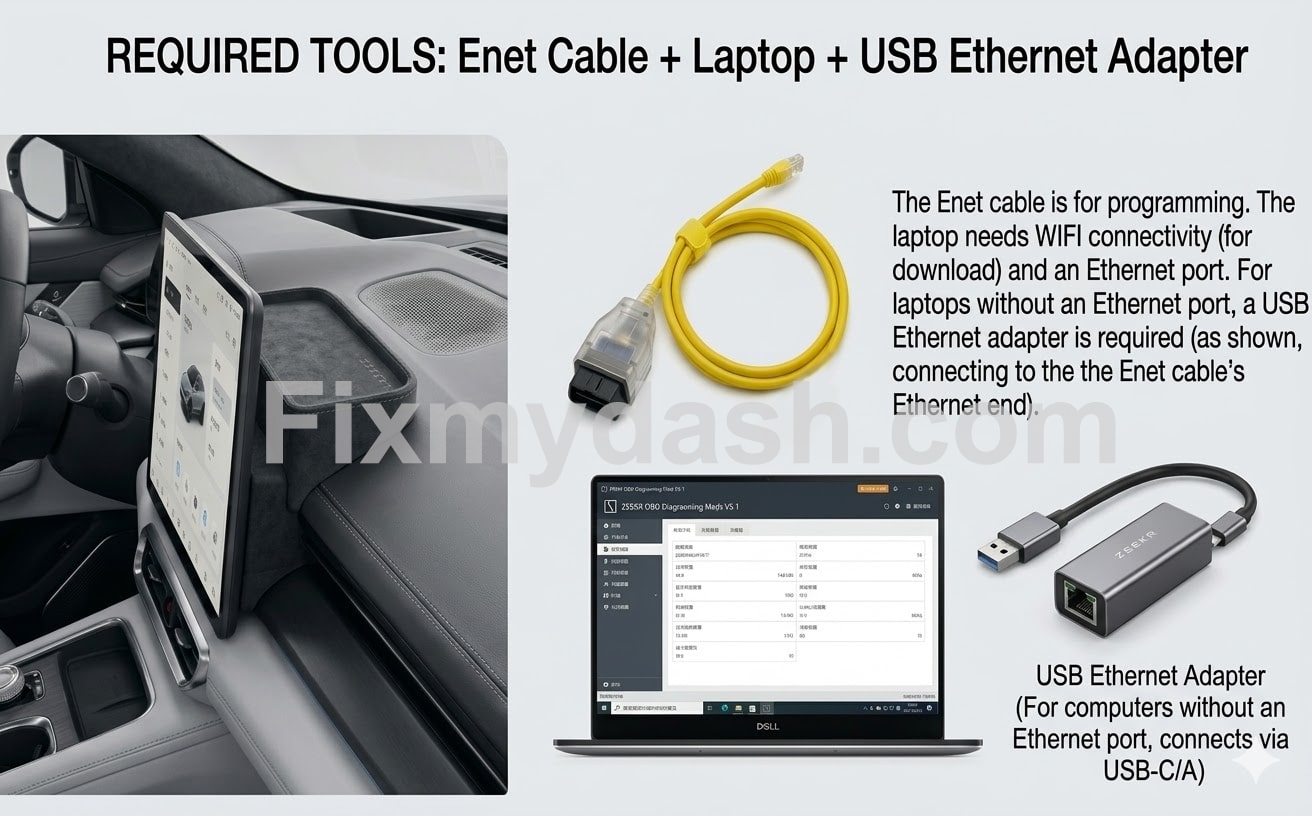
- a laptop computer (Battery > 50% or plugged in)
- an ENET cable (RJ45 to OBD-II)
- a stable internet connection (Preferably Fiber/Broadband)
- an Ethernet adapter if the laptop has no Ethernet port
- Remote Access Software (TeamViewer or AnyDesk installed)
- a safe parking location where the car will not need to be moved
- basic fault notes, screenshots, and version details prepared in advance
In simple terms, the car must connect to the laptop by cable, and the laptop must stay online throughout the session. Both parts matter. Owners often focus on the cable and forget the network side, or focus on the laptop and forget that the vehicle must stay undisturbed.
Safe parking matters more than people think
Remote sessions should not be done while driving, in a chaotic public area, or in a place where the car may need to be moved halfway through. A quiet, safe, stable location is part of the technical preparation, not just a convenience.
Power stability matters too
The laptop should have enough battery or remain plugged in. The vehicle should be in a condition that supports a stable session. If the laptop dies, the cable gets pulled, or the internet drops repeatedly, the technical skill on the other side matters much less.
Need the right hardware for this session?
🛒 Buy Recommended ENET Cable & Adapter BundleIndustrial Grade | Tested for ZEEKR 001, X, 009, 7X
What Information Should Be Prepared in Advance
One of the biggest differences between a productive remote session and a frustrating one is whether the owner has prepared the right context before the session starts.
At minimum, the owner should be ready to provide:
- the vehicle model: ZEEKR 001, X, 009, or 7X
- the current country or region of use
- whether the car is a parallel-import or cross-market vehicle
- the current software version, if visible
- when the issue started
- whether the issue appeared after an OTA update, repair, battery event, crash, or other change
- warning text, screenshots, or photos when available
- whether the car still communicates normally
- whether the issue affects one function or several
- whether drivability is still normal or has changed too
This information does not just save time. It improves the first judgment. The goal is to know whether the upcoming remote work is about diagnosis, coding, matching, recovery, or deciding that the problem probably sits outside remote-only territory.
How the Owner Should Cooperate During the Session
The owner does not need to be an engineer. But the owner does need to cooperate carefully. Remote support is a controlled workflow, not a situation where both sides improvise at the same time.
- follow power-on and power-off instructions in order
- do not unplug the cable unless told to do so
- do not switch menus randomly during guided steps
- do not let the laptop sleep or lose its connection
- do not move the vehicle halfway through the session
- keep the session environment quiet and stable
- be ready to provide screenshots or confirm visible changes when asked
Owners often underestimate how much this matters. Good cooperation does not just make the session faster. It makes the result more trustworthy. If a problem changes during a session, the team needs to know whether that change came from the car, from the intended workflow, or from an interruption created by the session environment itself.
When Remote Work Is Probably Not Enough
This is the part that makes the page more credible. Not everything should be pushed into a remote workflow.
Remote support is less likely to be enough on its own if the vehicle has:
- clear physical hardware damage
- water ingress or water damage
- burnt wiring
- broken plugs or broken connectors
- no basic communication link at all
- severe post-incident physical damage that prevents stable electronic work
In these cases, remote work can still be valuable for narrowing down the failure layer or confirming what should be inspected physically, but it should not be sold as a complete substitute for hands-on diagnosis.
This boundary matters. The more clearly it is stated, the more believable the rest of the page becomes.
PREGUNTAS FRECUENTES
Will remote troubleshooting void my ZEEKR warranty?
It is possible. Official service centers may detect third-party software access and refuse warranty coverage for affected electronic modules. This service is a solution for users who lack official support options.
What happens if my internet drops during the session?
If only diagnostics are running, we simply reconnect. However, if the drop happens during active "writing" or "flashing" of a module, the module could become unresponsive (bricked). Stable internet is mandatory.
Does remote troubleshooting mean the issue will definitely be fixed online?
No. A remote session can diagnose, narrow down, code, match, recover, or confirm the likely repair direction, but not every problem should be promised as a complete remote fix.
Why do some remote sessions fail even when the problem itself is real?
Because the session depends on more than the car. Weak internet, poor cable setup, missing fault information, or owner-side interruptions can weaken the process before the technical work even begins.
What is the most common owner-side mistake before a remote session?
Starting the session without a stable laptop-and-cable setup, without enough battery, or without basic fault details prepared in advance.
Can imported or cross-market ZEEKR vehicles be harder to diagnose remotely?
Yes. Cross-market cars can involve extra variables such as software-state differences, configuration mismatch, or service-path differences, which is exactly why good preparation matters more.
What should I prepare before contacting FixMyDash?
A laptop, ENET cable, stable internet, safe parking setup, software version details if visible, screenshots or warning messages, and a short explanation of when the issue started and what changed.
When is remote support probably not enough?
When the car has clear hardware damage, water damage, broken connectors, burnt wiring, no communication link, or severe physical damage that prevents stable electronic work.
When to Contact FixMyDash
The right time to ask for help is not when nothing is prepared. It is when the issue has already been narrowed down enough that a remote session could realistically move the diagnosis or repair process forward.
If you are dealing with a ZEEKR 001, ZEEKR X, ZEEKR 009, or ZEEKR 7X, and you have already gone through the broader symptom checks, prepared the basic tools, collected the key fault details, and still need help deciding whether the issue belongs to remote diagnostics, coding, module matching, configuration recovery, or online programming, that is where FixMyDash becomes useful.
At that stage, the goal is not to sell you a vague service. The goal is to avoid the wrong repair path, reduce wasted time, and decide whether your vehicle is actually a good candidate for remote work.
Ready for a Proper Remote Troubleshooting Session?
If you already have the laptop, ENET cable, stable internet connection, safe parking setup, and basic fault details ready, the next step is straightforward: contact FixMyDash and let us review whether your ZEEKR issue is suitable for remote diagnostics, coding, matching, or programming.
The goal is not to push unnecessary work. The goal is to move you away from guesswork and toward the right repair path faster.
Contactar con FixMyDash